RailOpsIQ
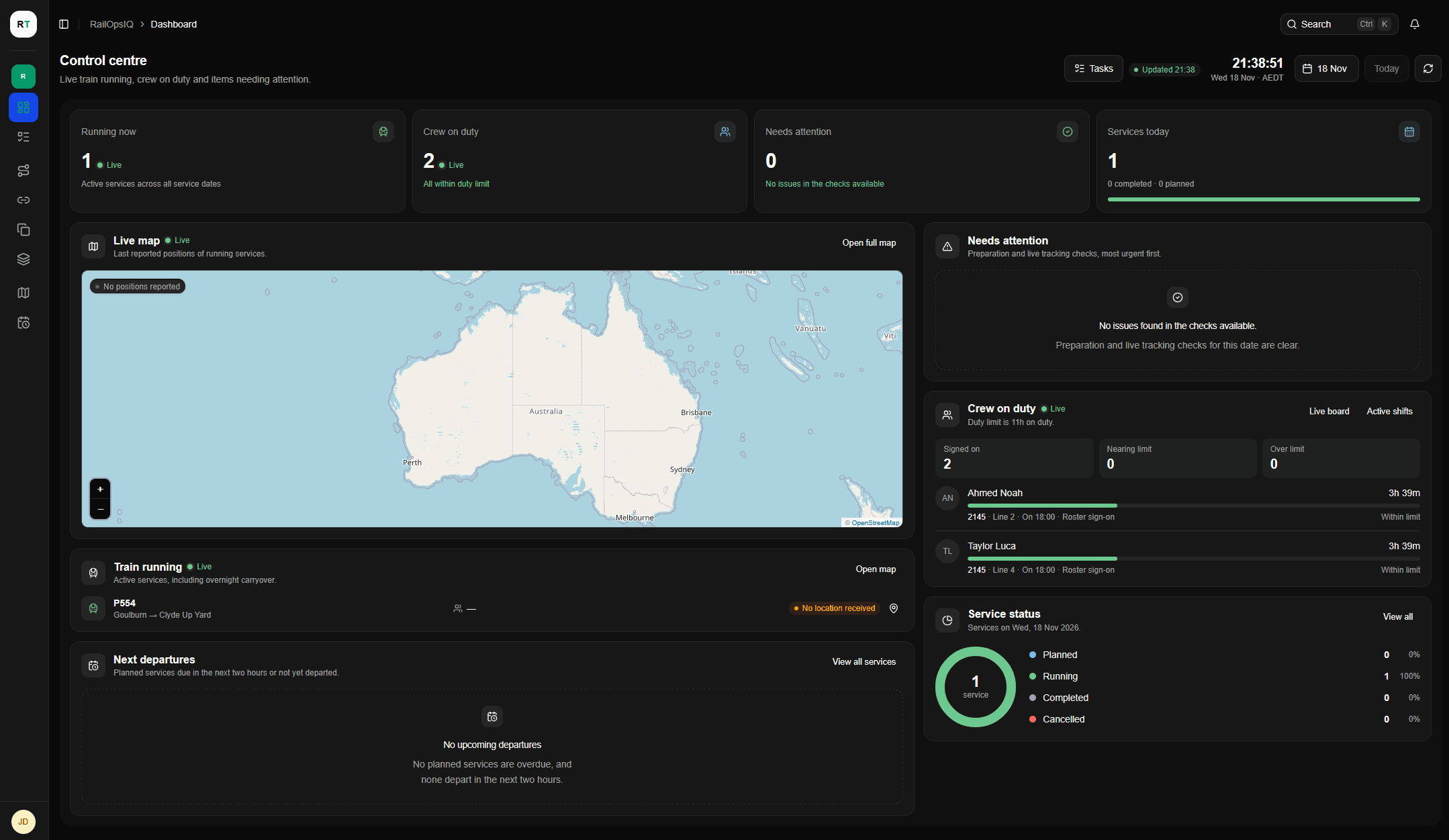
Service planning and live operations
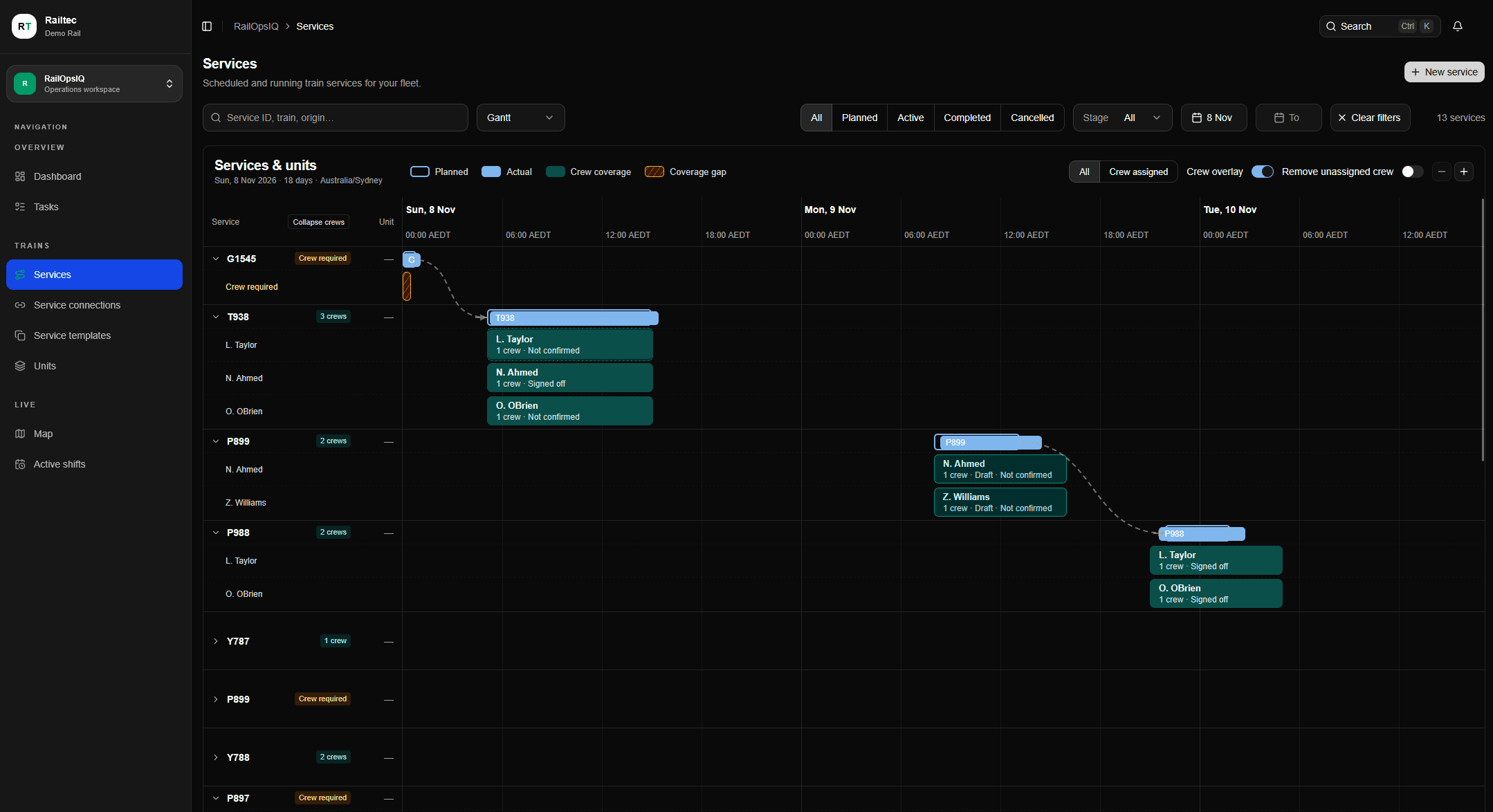
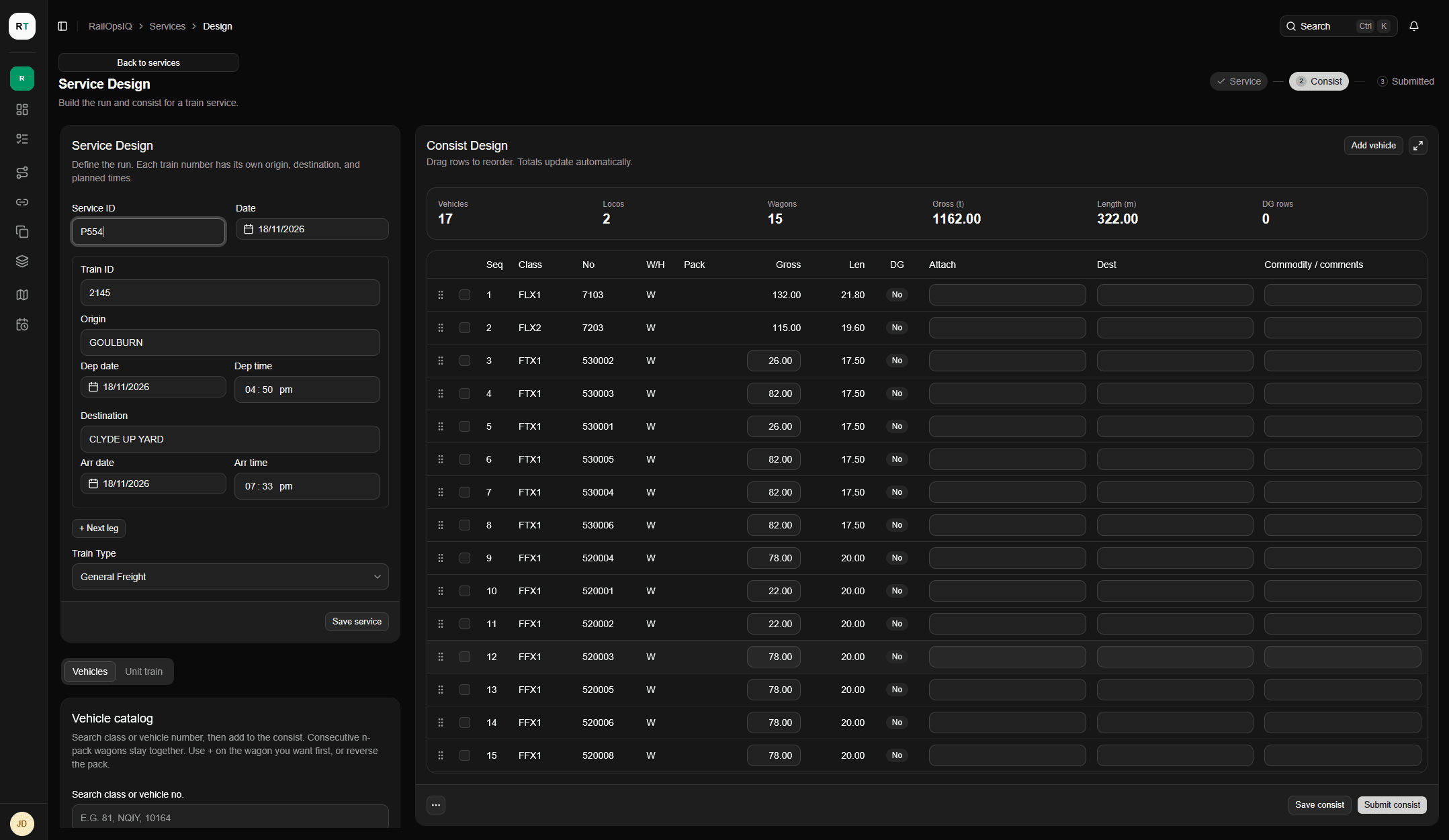
- Build the service plan
- Create services and build consists in Service Design. Link services that run in sequence. With CrewIQ, spot gaps in crew coverage on the Services timeline.
- Follow the day’s running
- Use the RailOpsIQ Control Centre to see active services, last reported train positions, upcoming departures and items that need attention. With CrewIQ, you can also see who’s on duty.
- Track delays and crew hours
- Monitor service running and, with CrewIQ, crew hours from one screen. Use notifications and built-in tasks to follow up on late-running services.
How RailOpsIQ connects to CabIQ
Explore CabIQPlan the service in RailOpsIQ
Planners create the service in RailOpsIQ and enter the schedule and consist.
Crew log on in CabIQ
Drivers join the assigned service by service ID or train number on a fleet device. CabIQ gives them the route, upcoming signals and reported hazards.
Live Run
CabIQ sends GPS updates to RailOpsIQ. Operations teams can see the train’s last reported position on the live map and review recorded times on the service record.
Contact